
School Timetable Management Software
Clash-free timetables and one-click substitutions
Building a school timetable by hand takes days, and one absent teacher can upset the whole day's plan. Last-minute changes are written on a board and many students and teachers never see them.
Timetable management in Ultimate School Manager helps you schedule classes, subjects and teachers without clashes. When a teacher is absent, the admin can allocate a substitute in a single click, and everyone affected is notified instantly in the USMConnect app.
Key Features
Class and teacher timetables
Create weekly timetables for every class and see each teacher's schedule automatically.
One-click substitution
Allocate a free substitute teacher for an absent teacher's periods in a single click.
Instant change alerts
Teachers and students get a notification whenever their timetable changes.
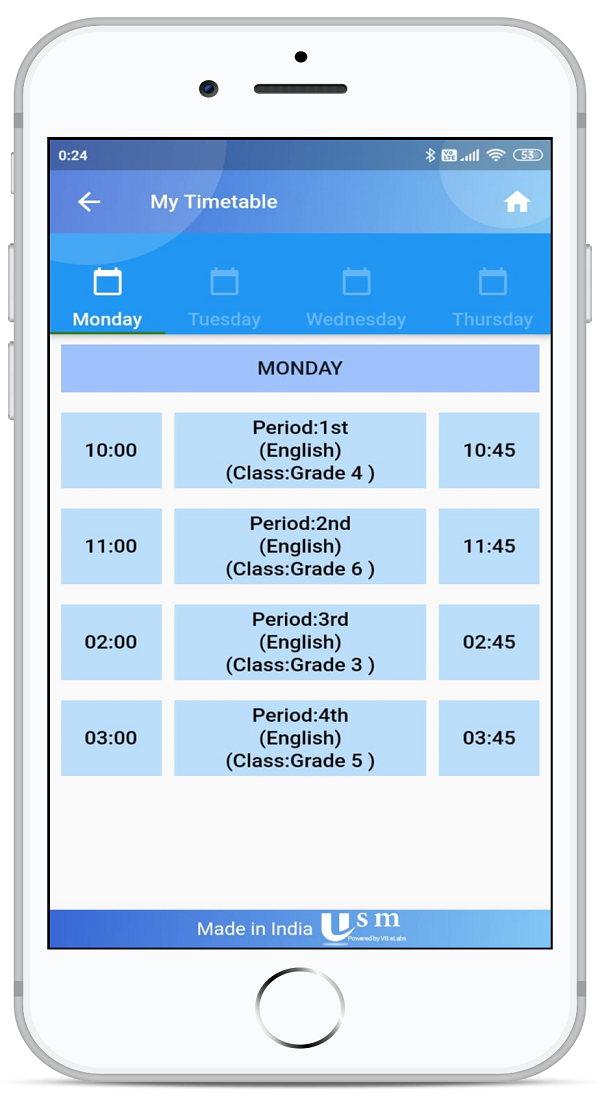
Timetable in the app
Students see their timetable for the week or the day; teachers see their periods and plan ahead.
Subjects and batches
Manage subjects, courses and batches that the timetable is built from.
Paperless scheduling
Replace printed timetables and notice-board changes with one live schedule.
Automatic timetable
Generate a clash-free weekly timetable from classes, subjects and teachers, then adjust it before you publish.
Acting class teacher
Assign an acting class teacher for a fixed period. They get class-teacher access until the end date, then it is withdrawn.
Teacher availability
See who is free in each period before you assign a proxy, and publish the exam timetable by branded email with a PDF.
How It Works
- Set up classes, subjects, teachers and periods.
- Build the weekly timetable for each class.
- When a teacher is absent, assign a substitute in one click.
- Students and teachers are notified and see the updated timetable in the app.
Benefits for Everyone
For Admin and coordinators
For Teachers
For Students
Frequently Asked Questions
Yes. When a teacher is absent, the admin can allocate a substitute for their periods in one click.
Yes. Students can see the full week or a single day's timetable in the USMConnect app.
Yes. A notification is sent instantly to the affected teachers and students.
Yes. Period-wise attendance uses the timetable, so teachers mark attendance for the right class and subject.
Related Modules
Serving schools and colleges across India. Learn why Indian schools choose USM