
Automatic Timetable Generator
A first draft of the week, without the grid on the wall
A timetable committee can spend days sliding periods around until two classes no longer want the same teacher.
The automatic timetable generator in Ultimate School Manager drafts the week from classes, subjects and teachers. You adjust the result, then publish it through timetable management, including substitutions and the USMConnect view.
Key Features
Generate the week
Build a clash-free timetable from the classes, subjects, teachers and periods already in USM.
Adjust before publish
Move a period after generation. The published timetable is the one students and teachers see.
Acting class teacher
Assign an acting class teacher for a fixed period. Access ends automatically on the end date.
Who is free this period
See teacher availability before you assign a proxy.
Publish to the app
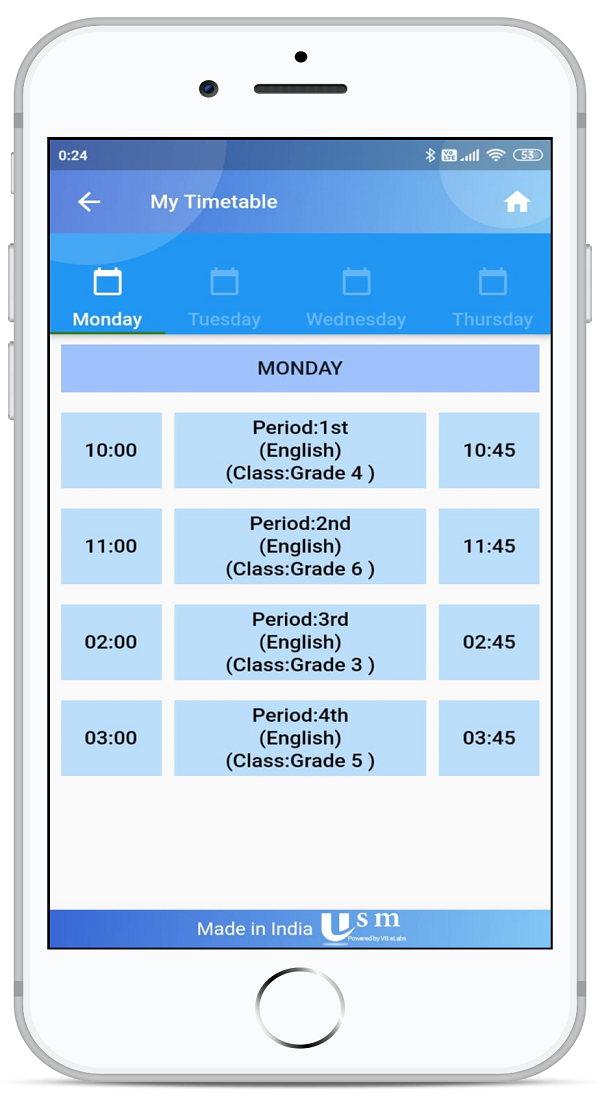
Students and teachers open the timetable in USMConnect and get a notice when it changes.
Exam timetable by email
Publish an exam timetable as a school-branded email with an optional PDF.
How It Works
- Confirm classes, subjects, teachers and periods.
- Generate the weekly timetable.
- Adjust clashes or preferences, and check who is free for a proxy.
- Publish. Substitutions and the app use this timetable.
Benefits for Everyone
For coordinators
For teachers
For students
Frequently Asked Questions
No. Generation creates the draft. You can still move periods before anyone sees them.
A teacher who receives class-teacher access for the dates you set. Access is withdrawn after the end date, and the assignment can be cancelled earlier.
Yes. Substitution, notifications and the app timetable stay in timetable management, using the timetable you publish.
Yes. An exam timetable can be sent as a branded email, with optional BCC and a PDF attachment.
Related Modules
Serving schools and colleges across India. Learn why Indian schools choose USM